Describe your business Morf builds its software


Morf turns what you tell it into working software on your Mac, helps you get it online on your own accounts, and changes it whenever the business does.
For Mac. Requires a Morf plan and your Claude Code or Codex subscription.

Runs on your Claude Code or Codex plan, and works with the tools you already use.
Getting online
is only the beginning
Your business still needs email, analytics, hosting, and a way to know when something needs attention. Morf helps you bring those pieces together, from your first build to the work that follows.
 MorfYour business, together
Connect your own accounts. Keep your services yours.
- Build around your business
- Create apps with the records, workflows, and roles your work needs. Describe what should happen; Morf builds from that plan.
- Get ready to open
- Draft your brand, launch copy, emails, and terms and privacy pages. Make a logo, a pitch deck or a demo video in Canvas, and check which domains are free.
- Take it from local to live
- Publish a verified build to your own Fly.io account, with your data in Neon. Your project and accounts stay yours.
- Know what needs your attention
- See project health, code findings, build checks, and waiting approvals. Use Morf Live to investigate changes in activation with PostHog and your code.
Build the software
Make it your own
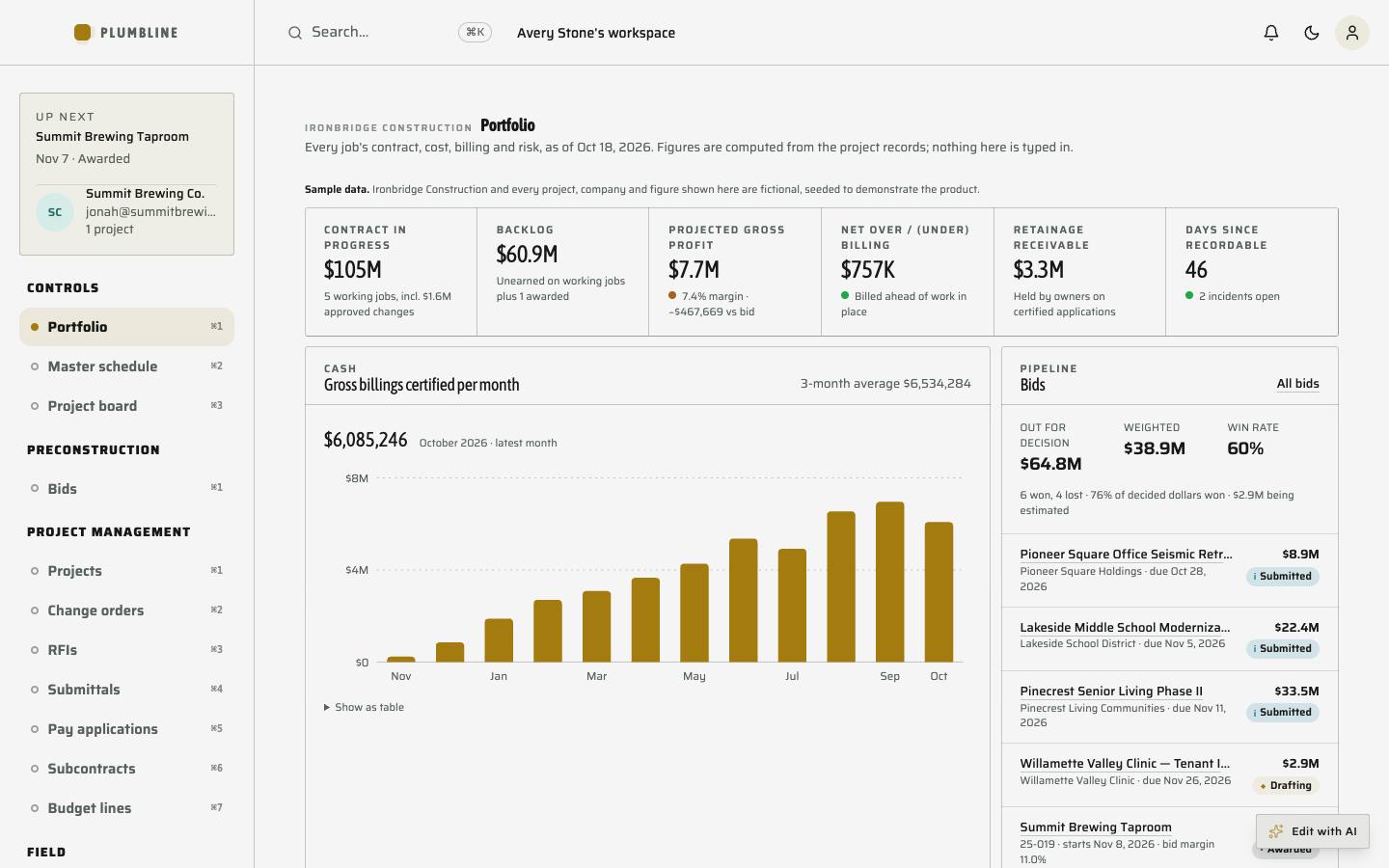
Tell Morf what your business runs on, and it builds a real app for it, not a chat window. Explore a sample contractor business below.
Say what the business needs
Type it the way you would tell a person. Morf asks only what it cannot work out on its own.
Morf puts workers on it
It plans the job and hands it to workers running on the Claude Code or Codex plan you already pay for. Morf sells no AI credits.
It comes together on your Mac
The build runs on your own machine, in your own folders, and you can watch every worker as it goes.
Software that runs the business
Your projects, records and money in one place. When the checks pass, publish it to your own Fly.io and Neon accounts.
Minutes, not days
A plan before the code
Morf writes down exactly what your business is, in a language called ISL, then builds from that plan.
ISL and its compiler, powered by WholeStack.
- You say itIn plain words, typed or out loud.
- Morf writes it down in ISLEvery record, every step a job goes through, and who is allowed to do what.
- WholeStack compiles itThe plan becomes a real app, with its database, screens and rules generated together.
- Checks run before it shipsIf the app breaks a rule in the plan, it does not go live.
entity ChangeOrder {
  id: UUID [primary]
  title: String [required]
  reason: String
  amount: Money
  schedule_days: Int
  project_id: UUID [references: "Project.id"]
  status: ChangeOrderStatus [default: "draft"]
  lifecycle {
    draft -> submitted
    submitted -> approved
    submitted -> rejected
  }
}

roles { executive, accountant, project_manager, superintendent, estimator }
Don't just ask AI. Change what your software can do
Already have software?
Bring it with you
Open a project you already have. Morf reads it first and shows you what it finds, before anything changes.
Bring it in
Open a folder or a GitHub repository. Morf learns how the project is built, and asks before it runs anything.
See what AI got wrong
Findings scans for the mistakes AI-written code makes: packages that don't exist, keys left in the open, errors swallowed in silence, and work left unfinished.
Find your way around
See every project on one map, what a change would touch before you make it, and how the code got here.
Illustrations with sample data
Then live with it
Software that keeps up
Ask a question about your software, and Morf finds the answer, proves a fix, and remembers what worked.
A more natural
way to work
Say what to change and watch it happen. Point to move, pinch to click, and circle anything on screen to ask Morf about it.
In the app the camera runs on your Mac, and frames never leave it.
- Kitchen remodel, Maple St
- Bathroom refit, Oak Ave
- Roof repair, Elm Ct
- Deck build, Pine Rd
- Basement finish, Cedar Ln
- Garage conversion, Birch Way
- Window swap, Ash Dr
- Porch rebuild, Willow St
- Fence line, Spruce Ct
- Siding refresh, Alder Rd
Pinch a tab to open it
Steer this window with your hand
Point to move, pinch to click, two fingers to scroll. Video stays in this tab and nothing is uploaded.
There when you need it
Show me once
Do a task while Morf watches. It learns it, and builds the software that does it for you.
One goal, a whole team
Give Morf a goal. It coordinates the agents, and you can follow every step.
Always a thought away
Press ⌥Space in any app, and Morf is there.
You're always in charge
Choose what agents may do alone, what needs your OK, and what is off limits. Every decision goes in a signed record.
Yours, start to finish
- Your Mac
- Morf builds on your own machine, and your project stays in your own folders.
- Your AI plan
- Morf drives the Claude Code or Codex you already pay for. It sells no AI credits.
- Your accounts
- Publish to your own Fly.io and Neon accounts when the checks pass, and keep the keys.
- Your proof
- Morf publishes only what passed its checks, and says what is missing when something did not. Every change has a checkpoint, and a release can be rolled back.
- Your code, guarded
- Protect trims what your app ships, like source maps and debug files, finds keys that leaked, and shows you if any file was changed.
- What you need
- A Mac, a Morf plan, and a Claude Code or Codex subscription, installed and signed in. See the plans.
A few things
worth knowing
Still have a question?
Talk to us.
What do I need to get started?
A Mac, a Morf plan, and a Claude Code or Codex subscription, installed and signed in. Morf works with the AI plan you already pay for and sells no AI credits.
What can Morf build for my business?
Describe the work your business needs to manage. Morf turns that into working software with records, workflows, and roles. The product tour shows a sample contractor business with projects, change orders, and financials.
Can I change the software later?
Yes. Tell Morf what needs to change. Morf Live can also investigate why activation changed using your connected PostHog and a repository listed in Morf, then prepare and verify a fix for your approval.
Where does my software live?
Morf builds on your Mac, in your own folders. When the checks pass, you can publish to your own Fly.io and Neon accounts. You keep control of your project and accounts.
Can Morf work on software I already have?
Yes. Open a folder or a GitHub repository. Morf reads the project, scans it for the mistakes AI-written code tends to make, and asks before it runs anything. Changes still wait for your approval.
Which business services can I connect?
Morf includes connections for GitHub, PostHog, Neon, Resend, and Stripe, among others. Publishing uses your Fly.io and Neon accounts. These services need their own accounts and setup; their subscriptions are separate from Morf.
Does using hand control upload my camera feed?
No. Hand tracking runs locally. Camera frames stay on your Mac; in this page’s demo, they stay in this browser tab. Circle to ask shows you the capture before anything is sent.
Where can I compare plans?
The pricing page explains the current plans and what they include. Your Claude Code or Codex subscription is separate from your Morf plan.
Compare Morf plansYou have a business to build Not ten tools to figure out
Create your business software, get it online, and manage it in one place. Morf brings your website, apps, and connected services together, so you can focus on your customers.
See what comes togetherMake the software your business is missing
Describe it today. Change it whenever the business does.